
If you run a scan and see zero threats, it’s easy to assume your WordPress site is fully protected. That’s a big misconception a lot of site owners share. A clean scan result often misses backdoors and hidden admin accounts, so your site can stay vulnerable even after the “all clear.”
Our team at WP Guard has seen sites pass every scan while still hosting active backdoors. To close this gap, you need to pair scans with manual and network-level checks.
Before we get to the fix, let’s cover why scanners miss these threats in the first place. You’ll also learn the three things most scans skip, plus what real verification actually looks like.
What a WordPress Security Scan Checks
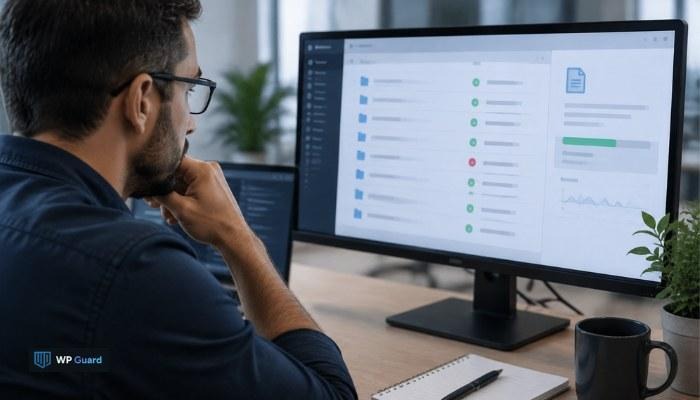
A WordPress security scan checks your files against a database of known malware signatures and suspicious code patterns. Most security plugins compare every PHP file, theme, and plugin against this signature list. When something matches a known threat, the scanner flags it right away.
Scans also check core file integrity, which means comparing your WordPress installation against the official version. Any unexpected change gets marked as suspicious. That part works well, but only for threats the scanner already recognizes.
The catch is simple: scanners can’t flag what they don’t know. A scan result showing zero threats means nothing familiar was found, not that nothing’s wrong. Custom or unfamiliar malicious code can slip through without triggering a single flag.
Why False Positives and False Negatives Both Happen
False positives and false negatives happen because scanners rely on pattern matching, not full context. A false positive flags legitimate code as malicious, often because it resembles a known threat pattern. That false alarm wastes your time chasing a plugin or file that’s actually clean.
A false negative works the other way. Real malware slips through because it doesn’t match anything in the scanner’s database yet. Attackers know this, so they write custom code specifically to avoid detection.
So basically, a “zero threats found” result only reflects what the scanner’s database covers. It doesn’t confirm your site’s security. Cutting down false positives helps, but not if it comes at the cost of missing real vulnerabilities.
The Three Things Most Scanners Miss
Most scanners consistently miss three things: hidden admin users, core file backdoors, and altered .htaccess rules. These issues don’t show up in a standard signature-based scan because they don’t look like malware code. They look like normal parts of your WordPress dashboard or server setup.
Hidden Admin Users Created After a Breach
When attackers gain access to your site, they often create a new admin account before you notice anything’s wrong. That account gives them a permanent way back in, even after you remove the malware itself.
Since scanners check code, rather than your user list, these accounts often go completely unnoticed. Someone behind unauthorized login attempts can use that account for months.
Backdoors Hidden Inside the WordPress Core
Attackers plant backdoors inside legitimate-looking WordPress core files. The malicious code blends in with normal system files, so nothing looks out of place.
A well-disguised backdoor doesn’t match any known signature. As a result, scanners skip right past it. This is how a hacked site can pass scan after scan while attackers keep unnoticed access the whole time.
Changes Buried in the .htaccess File
The .htaccess file controls server-level redirects and access rules, and it’s rarely included in standard scans. Malicious rules hidden here can silently send visitors to spam links or phishing pages. And since this file lives outside your normal WordPress installation, most scanners never check it.
Can a Web Application Firewall Catch What a Scan Misses?
No, a web application firewall can’t catch what’s already on your site; it only blocks incoming attacks. A cloud-based WAF sits between your web server and every visitor, filtering traffic before it reaches your WordPress installation. That’s a different job than scanning files that are already there.
A WAF is built for blocking malicious requests in real time. It watches for suspicious login attempts, known attack patterns, and traffic that looks like an automated bot. This kind of filtering stops brute-force login tries and SQL injection attempts before they ever touch your database.
But once a threat has already gotten inside, a firewall has no way to find it. A firewall protects the front door at the server level, not the rooms behind it. That’s why a clean scan plus an active WAF still isn’t proof your site’s fully secure.
Scanner vs Hosting Provider vs Real Verification
When you know what each layer catches, this way you avoid assuming you’re covered when you’re not. Each one plays a different role in your site’s security.
| Layer | What It Catches | How It Works | What It Misses |
| Security plugin | Known malware signatures, suspicious code patterns | Scans files against a signature database | Custom code, hidden admin accounts |
| Hosting provider | Server-level threats, unusual network activity | Monitors traffic at the network level | File-level changes inside your site |
| Real verification | Hidden admins, core backdoors. htaccess changes | Manual review plus network tools | Nothing, when done properly |
None of these three layers alone confirms your site’s actually clean. They cover different ground, so skipping one leaves a gap the others won’t fill.
To be honest, your hosting provider handles a lot in the hosting environment, like blocking malicious traffic before it reaches your server. But that’s not the same as checking your WordPress files for planted code.
What Real Verification Looks Like
Now that you know what gets missed, here’s how a real verification process catches it. It starts with manual review, checking your WordPress dashboard for user accounts that shouldn’t exist and file timestamps that don’t match your last update.
From there, network tools come in. They can reveal unexpected outbound connections, which often signal a backdoor that’s still quietly sending data somewhere it shouldn’t. Security professionals then compare your core files, plugins, and themes against the official WordPress repository, flagging anything that’s been altered.
WP Guard’s team takes this a step further. Instead of stopping at “no known malware detected,” they investigate the root cause behind every flagged issue. That’s the difference between a scan that checks boxes and verification that confirms your site is clean.
Your Next Move After a Clean Scan
A clean scan is a good start, but it isn’t proof your WordPress site is fully safe. Real security means going past the basics.
Site owners can close the gap with a few habits: regular backups, two-factor authentication, and strong, unique passwords across every account. Staying current on software updates also closes off known vulnerabilities before attackers find them.
Scanning alone won’t catch everything, and now you know why. WP Guard combines scanning with manual verification, so nothing stays hidden behind a “clean” result.