
In today’s digital world, our daily lives and business operations are powered by a blend of hardware, software, and networks. Whether you’re a business owner, IT professional, or simply aiming to improve your technical knowledge, having a clear understanding of these vital components is critical. Modern technology is everywhere, and knowing how computer systems are built and maintained helps you make informed decisions, protect your data, and maximize efficiency within your personal or professional devices. To dive deeper into the tools that drive these systems, explore hardware ICT tools, and how they shape today’s IT landscape.
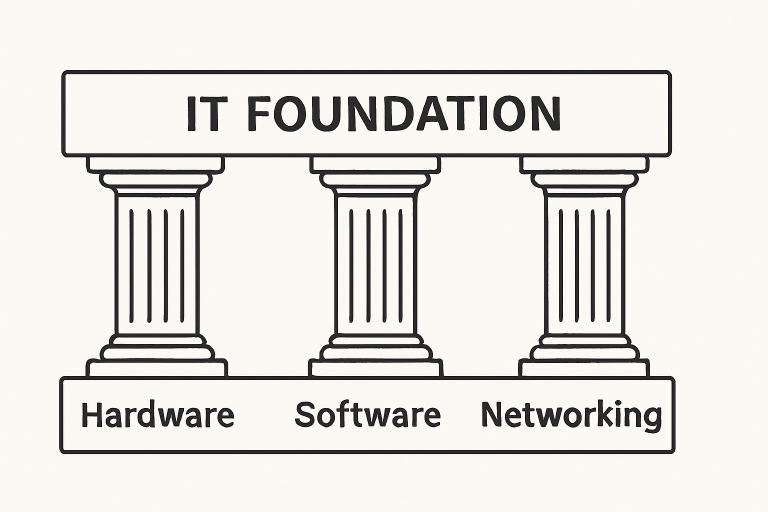
Information technology rests upon interconnected layers of physical hardware, software solutions, and the networking infrastructure that binds them. From the servers running complex analytics to the smartphones in our pockets, all rely on a strong IT foundation for speed, security, and adaptability. Understanding each pillar ensures you are ready to troubleshoot, upgrade, and keep your technology environment running smoothly.
Computer Hardware
Computer hardware consists of the tangible pieces that make up a computer system. Each component performs a specialized function that is essential to the system’s operation:
- Central Processing Unit (CPU): The CPU, often regarded as the computer’s brain, is responsible for carrying out instructions and performing calculations.
- Memory (RAM): RAM temporarily stores information your CPU needs immediately, ensuring fast performance and smooth multitasking.
- Storage Devices: Hard disk drives (HDDs) and solid-state drives (SSDs) provide permanent storage for files, applications, and operating systems. SSDs are significantly faster and increasingly common in newer devices.
- Input Devices: Equipment such as mice, keyboards, and scanners allows users to interact with the computer and input data.
- Output Devices: Monitors, printers, and speakers present information or data in human-readable form.
Understanding computer hardware is key to troubleshooting system issues, selecting new devices, and ensuring compatibility among parts. Managed IT Services can help guide these decisions, ensuring your hardware selection aligns with your needs, whether for gaming, business, or creative tasks, as PCWorld highlights.
Computer Software
Software refers to the coded instructions that tell the hardware how to perform specific tasks. There are two main categories:
- System Software: Operating systems like Windows, macOS, and Linux perform essential functions, managing hardware resources and providing a platform for running application software.
- Application Software: Programs like word processors, spreadsheets, web browsers, and enterprise applications meet specific user or business requirements.
Selecting the right software ensures productivity and efficiency. Compatibility and support considerations are especially important for organizations striving to maintain operational uptime and avoid disruptions.
Networking Basics
Networking forms the framework that connects multiple devices, allowing them to share data and resources. Some core networking concepts include:
- Local Area Network (LAN): Connects devices within a restricted space such as an office, campus, or single building. This type of network is ideal for small organizations with centralized resources.
- Wide Area Network (WAN): Links together LANs across cities, countries, or even continents, often using the internet as the core infrastructure.
- Protocols: Standardized sets of rules facilitating communication between devices. TCP/IP is the most widely used protocol, supporting nearly all modern digital communication.
Strong networking systems boost collaboration and productivity while enabling unified security and centralized data management. Scalability is essential, especially as workforces rely more on remote and hybrid models.
Integrating Hardware, Software, and Networking
A powerful IT infrastructure is more than the sum of its parts. True integration involves seamless compatibility between hardware, the right software tools, and a resilient network. This synergy supports not just day-to-day efficiency but also enables the adoption of future-defining technologies such as artificial intelligence, the Internet of Things, and large-scale data analytics.
For example, businesses deploying cloud services rely on high-speed networks and secure endpoints. Without robust integration, you risk bottlenecks and vulnerabilities that can undermine strategic growth. Companies that invest in integrated solutions are better positioned to remain agile in a shifting digital landscape.
Best Practices for Building a Strong IT Foundation
- Scalability: Build systems that can evolve alongside your organization. This involves selecting equipment and software that can accommodate more users, more data, and changing operational requirements.
- Reliability: Invest in redundancy with backup devices and routine maintenance schedules. Minimize downtime and ensure your technology is always ready when you need it.
- Security: Prioritize multi-layered cybersecurity using firewalls, encryption, and centralized access controls to safeguard sensitive information from emerging threats.
- Performance: Continuously optimize hardware and software configurations to ensure efficient processing and high-speed data access, enabling your team to complete tasks without delay.
Establishing strong practices empowers both individuals and organizations to make strategic decisions and minimize the risks posed by outages, cyberattacks, or outdated infrastructure.
Final Thoughts
A comprehensive grasp of computer hardware, software, and networking forms the cornerstone of modern information technology. By learning these basics, integrating systems thoughtfully, and following best practices, you can lay a firm foundation for future growth. Whether through personal development or leveraging services like managed IT, building out a resilient IT environment drives both security and progress in an ever-connected world.